
AutomateWisely Editorial Team · Last reviewed October 30, 2026 · How we research
Make, the automation platform once called Integromat, is often recommended as the cheaper, more visual alternative to Zapier. We wanted to see what that means in practice, so we opened a free account and built a real workflow from scratch. This review is based on that test, plus Make’s own documentation on how its credits work.
People who like to see a workflow as a diagram and want a low paid entry price for many small automations.
You need new data handled within minutes on the free plan, or you want the most guided setup possible.
Free with 1,000 credits a month. Paid plans start at about $9 a month billed annually for 10,000 credits.
What happened when we built a workflow in Make
The task was simple and common: when a new lead appears in a Google Sheet, copy it to a log tab. We timed every step on October 30, 2026, on the free plan.
- 0:00Signed up with a Google account. Make asked for a data region and a few profile questions; no credit card was requested.
- ~3 minCreated a new scenario. The empty canvas shows one large plus button, which makes the starting point obvious.
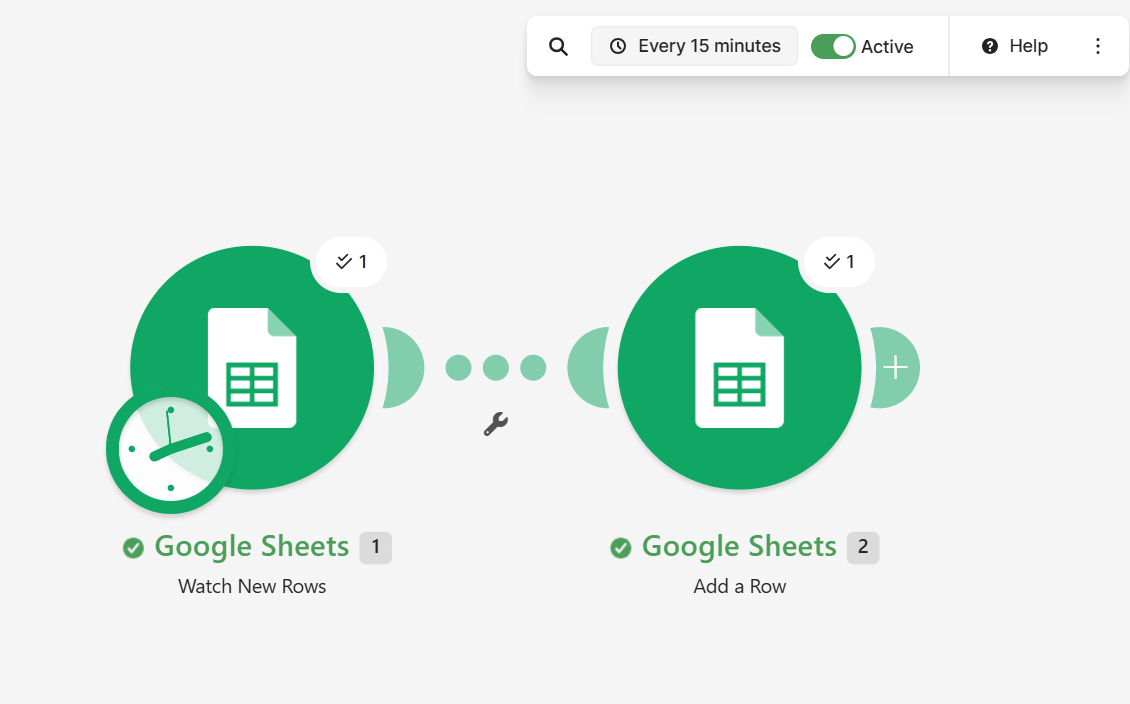
- ~5 minAdded Google Sheets “Watch New Rows”, connected the account and picked the sheet. Make then asked where to start processing data. There was no plain “from now on” choice, and the option we picked also processed the sample row we had selected.
- ~8 minAdded Google Sheets “Add a Row” and mapped name, email and message by clicking the values from the first module. Mapping is visual and quick once you see the pattern.
- ~10 minClicked “Run once” and added a test row. Both modules showed a success bubble with the number of items processed.
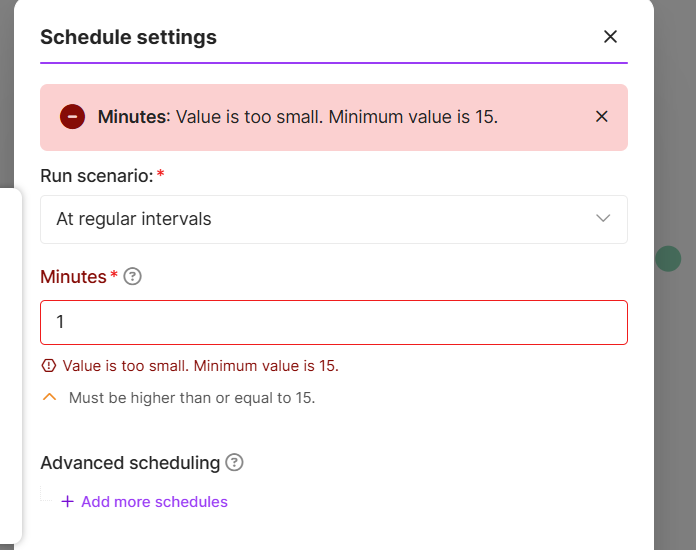
- ~11 minTried to schedule checks every minute. Make refused: on the free plan the minimum is 15 minutes.
- 12:39Saved, switched the scenario to active and stopped the clock.
We built the same workflow in Zapier and n8n on the same day. Make came in between the two on setup time. You can see the full comparison in n8n vs Make vs Zapier.
How Make’s credits really work
Make bills in credits. According to its pricing page, most module actions use one credit; routers and error handling modules use none, and some AI features use more. The detail that surprises most people is in Make’s own training material: when a scheduled scenario runs and finds nothing new, that check still uses one credit.
Our test confirmed it. Copying about 10 rows over roughly 90 minutes of scheduled checks used 17 credits: about one for each check plus one for each row written. Here is what that means for a single scenario scheduled every 15 minutes:
Free plan or Core?
Figures below come from Make’s pricing page and Jet Admin’s price check of September 26, 2026. Prices are in US dollars before tax.
| Limit | Free | Core (10,000 credits) |
|---|---|---|
| Credits per month | 1,000 | 10,000 |
| Price | $0 | About $9 a month billed annually, or $10.59 monthly |
| Active scenarios | 2 | Unlimited |
| Shortest schedule | 15 minutes | 1 minute |
The Pro plan (about $16 a month billed annually for 10,000 credits) adds priority execution, custom variables and full text log search, but no extra credits. For most small teams, Core is the realistic starting point once a workflow needs to run more than a few times an hour.
What we liked, and what frustrated us
- The canvas makes the flow of data obvious, even for a non developer.
- Success bubbles show how many items each module handled on every run.
- Mapping fields by clicking values from earlier modules was quick.
- Low paid entry price for 10,000 credits.
- The 15 minute minimum on the free plan made testing slow.
- Checks that find nothing still use credits, which is easy to miss.
- “Choose where to start” had no clear “from now on” option.
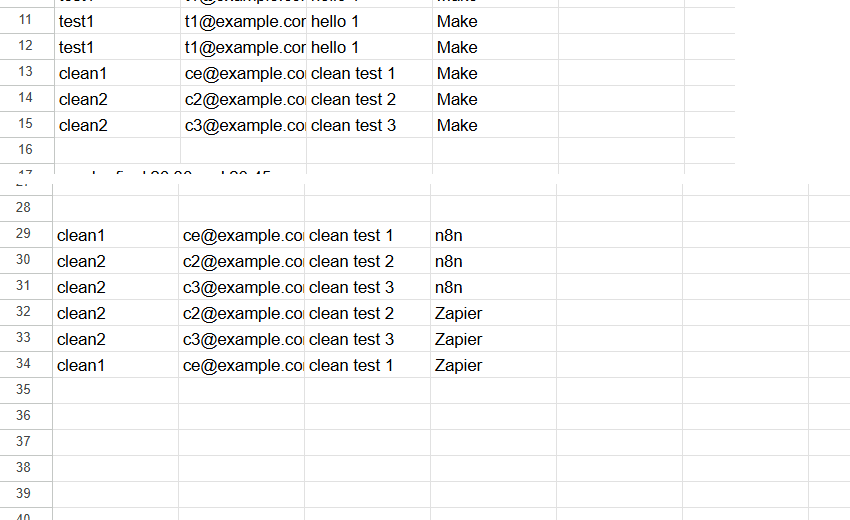
- Add a Row wrote into the first empty gap of our sheet, not at the bottom.
Is Make right for you?
Six questions, one honest recommendation
1. Would you rather see your workflow as a diagram than as a list of steps?
2. Must new data be handled within a few minutes, without paying?
3. Is a low monthly price your main concern?
4. Will your workflows need branches, loops or data transformations?
5. Are you comfortable with terms like arrays, mapping and JSON?
6. Do you want to host the tool on your own server?
Alternatives worth a look
Zapier was the most guided of the three tools we tested and does not charge for checks, but it counts every action, so costs rise faster with volume. n8n reacted fastest in our test and counts whole runs rather than steps, which suits batches and high volumes, at the cost of a more technical interface. Read our n8n review, or see more options in Zapier alternatives and workflow automation software for small business.
Common questions
Yes, with 1,000 credits a month, two active scenarios and a 15 minute minimum schedule. That is enough to learn the tool and run light workflows during working hours, but not an always-on scenario that checks every 15 minutes.
Do routers and error handlers use credits?No. According to Make’s pricing page, router modules and error handling modules such as Rollback, Break, Resume, Commit and Ignore do not consume credits, so you can branch and handle errors without extra cost.
Is Make cheaper than Zapier?For workflows with several steps per item, usually yes, because entry plans include more credits for less money. For a scenario that checks often but rarely finds data, Make’s check credits can narrow the gap. Use our usage estimator with your own numbers.
Can Make react instantly?Yes, when the app supports instant triggers through webhooks. Scheduled triggers like the Google Sheets one we used depend on the interval you set.
What to do today
- Open a free account and rebuild one workflow you already do by hand.
- Schedule it only for the hours when data actually arrives.
- After a week, open the History tab and count check runs against useful runs.
- If checks dominate, switch to an instant trigger or a less frequent schedule before you pay for credits.
Sources
- Make, Pricing and Subscription Packages (checked October 30, 2026)
- Make Academy, Using credits effectively in scenarios
- Make Help Center, Cancel your subscription (free plan credits)
- Jet Admin, Make.com Pricing in 2026 (prices checked September 26, 2026)
- AutomateWisely hands-on test on the Make free plan, October 30, 2026
AutomateWisely is independent and is not paid by Make or its competitors. We tested on a free account and have no affiliate links in this review. Plans and prices change; confirm them on Make’s pricing page before you buy.