
AutomateWisely Editorial Team · Last reviewed October 30, 2026 · How we research
Your Zaps work. The problem is something else: the bill grew with your volume, a workflow needs logic that feels clumsy in Zapier, or your company wants data on its own servers.
The right alternative depends on why you want to leave, so this guide is organised by reason, not by a ranking. Pick yours below.
First, check whether you really need to switch
Zapier does not charge for triggers or for checking for new data: a task is counted for each successful action. So a simple two step Zap that runs a few hundred times a month is often cheap enough, and Zapier was the most guided tool when we built the same workflow in Zapier, Make and n8n. Switching costs time: rebuilding our two step workflow took between 9 and 17 minutes per tool, and real workflows with filters and paths take much longer.
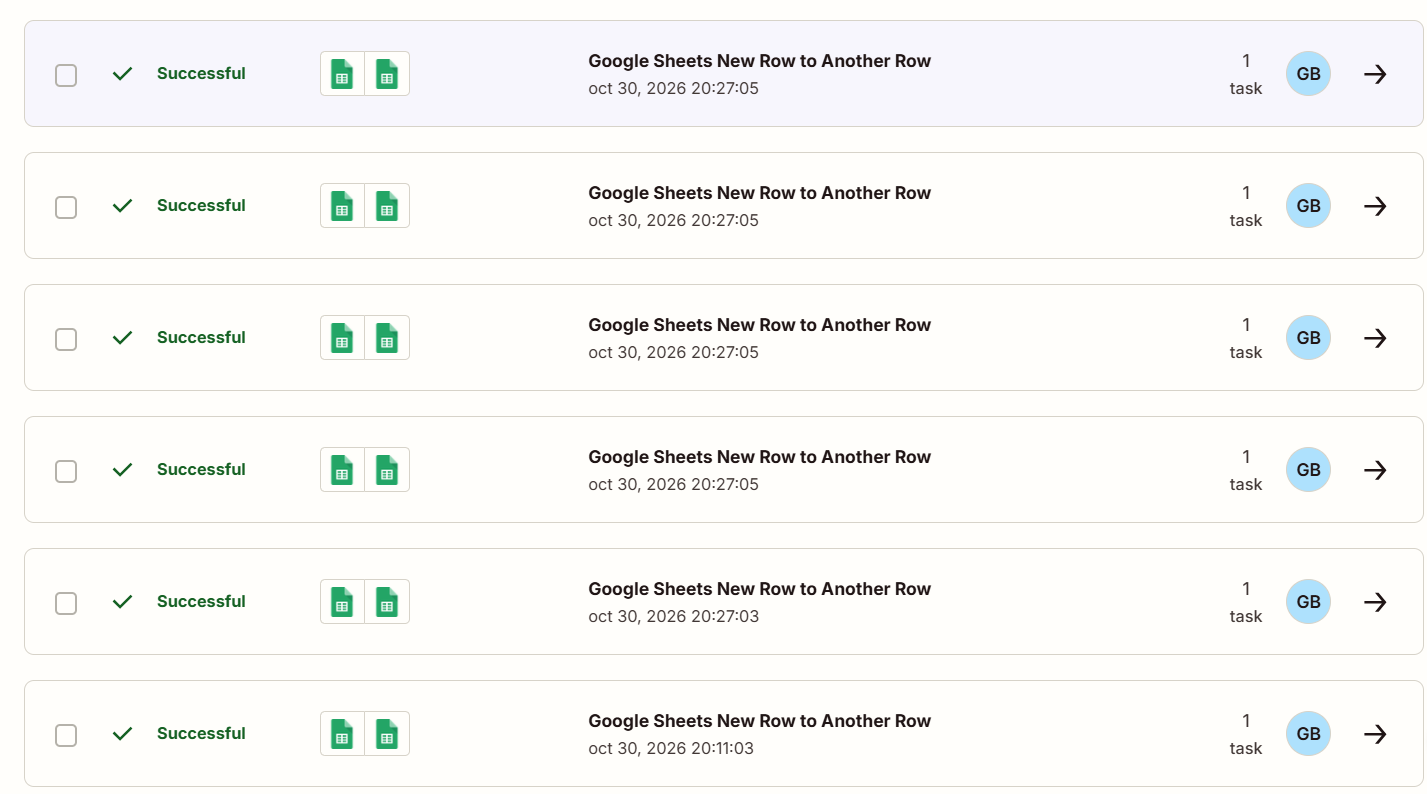
Look at your own Zap history for a month. If a few Zaps with many steps or many runs account for most of your tasks, moving just those can be enough. You do not have to move everything.
The alternatives, by reason for leaving
Make or n8n
Make: free plan with 1,000 credits a month; about $9 a month billed annually for 10,000 credits. n8n Cloud: from 20 euros a month billed annually for 2,500 executions.
Both count differently from Zapier, and that is where savings come from. Make charges a credit per module action, so a multi step workflow costs fewer dollars per step on paid plans. Watch one catch we measured: Make also uses a credit every time a scheduled scenario checks and finds nothing. n8n charges per full run of a workflow, whatever it contains, so long workflows and batches become much cheaper. In our test, about 10 rows cost 9 tasks in Zapier, 17 credits in Make and 3 executions in n8n.
Make, or n8n if you are technical
Branches, loops and data transformations are easier to see on Make’s canvas, where each module shows how many items it processed. Make’s routers and error handling modules do not consume credits, according to its pricing page, so branching does not add cost. n8n handles the same logic with code nodes and expressions when you need full control. Read our Make review and n8n review.
n8n self-hosted, or Activepieces
Both offer a free, self-hosted community edition. You pay for and maintain the server.
Zapier and Make run only in their own cloud. If customer or employee data must stay on your servers, a self-hosted tool is the realistic option. n8n is the more mature and powerful of the two; Activepieces is simpler to learn. In both cases, someone on your team must handle updates, backups and security, and the community editions come without vendor support.
Microsoft Power Automate
Premium: $15 per user per month, billed yearly. Process (unattended automation): $150 per bot per month. A 30 day trial is available.
If your team lives in Outlook, Teams, SharePoint and Excel, Power Automate connects to them natively and can automate desktop apps too. Pricing is per user rather than per task, which suits steady internal workflows. It is less convenient if most of your apps are outside Microsoft’s world.
Activepieces
Cloud: free with 1,000 credits a month; Plus at $20 a month for 10,000 credits; Team at $200 a month. Self-hosted community edition free.
Activepieces looks and feels closer to Zapier than n8n does, with a step by step builder, while being open source. It is a reasonable middle ground for small teams who want a simple tool and the option to self host later. Its catalogue of integrations is smaller than Zapier’s, so check that your apps are covered first.
Workato
Workato targets larger companies that need governance, many integrations and support contracts. Pricing is quoted on request, so it rarely makes sense for small businesses. If you are at that scale, ask for a proof of concept on one real process before you sign.
Filter the options
Tick what you need
- Free plan, 1,000 credits
- Visual canvas
- Low paid entry price
- Free self-hosted edition
- Node canvas
- Cheapest for batches
- Free cloud plan and self-hosting
- Step by step builder
- Smaller app catalogue
- Native Microsoft 365
- Desktop automation
- 30 day trial
- Enterprise governance
- Support contracts
- For large companies
- Free plan, 100 tasks
- Most guided setup
- Triggers do not count
No single tool ticks every box. Untick one requirement to see the closest options.
Based on vendors’ pricing pages checked in October 2026 and our own test of Zapier, Make and n8n. Features change; confirm before you migrate.
How to migrate without breaking anything
- List your Zaps by tasks used. Move the most expensive or most complex ones first; leave simple, cheap ones where they are.
- Rebuild one workflow in the new tool, using the same test data. Expect 10 to 20 minutes for a simple two step workflow, more for filters and paths.
- Feed it complete records. In our test, rows that were copied and edited after creation produced duplicates and old values in all three tools.
- Run both in parallel for a few days, writing to separate destinations, and compare the results.
- Switch off the Zap only when the new workflow has handled real data correctly, then check the new tool’s usage counter after a week.
For the full side by side results, including speed and usage, see n8n vs Make vs Zapier. If you are choosing a first tool rather than leaving one, start with workflow automation software for small business.
Questions people ask before switching
Not directly. Workflows are rebuilt by hand in the new tool. Start with the ones that use the most tasks.
It depends on how you count. For long workflows and batches, n8n’s per run pricing was the cheapest in our test. For many small workflows, Make’s entry plan is inexpensive, if you schedule checks carefully.
The software is free; the server, backups, updates and the time to fix problems are not. Budget for them before you choose it.
Often, yes. Many teams keep cheap, simple Zaps and move only the expensive or complex ones.
Sources
- Zapier, Plans and Pricing (checked October 30, 2026)
- Make, Pricing and Make Academy, Using credits effectively
- Jet Admin, Make.com Pricing in 2026 (checked September 26, 2026)
- n8n, Plans and Pricing
- Microsoft, Power Automate Pricing
- Activepieces, Cloud pricing plans 2026 (October 23, 2026)
- Pipedream, Plans and Pricing documentation
- AutomateWisely hands-on test of Zapier, Make and n8n, October 30, 2026
AutomateWisely is independent and is not paid by any of the companies mentioned. There are no affiliate links in this guide. Prices change often; confirm them on each vendor’s website before you migrate.